Simple database example
How to make code query the database for you.
Databases are not spreadsheets and the best way to interact with them is writing an application.
This brutally simple example shows how to do that using the kotlin language. This is not a production, enterprise example, but it's needed to better absorb following samples.
How to Build
Fist, make sure you have the needed database drivers. They are supposed to be in the lib folder.
kotlinc src/**/*.kt -include-runtime -d db-manage.jarHow to run
You must include the jdbc drivers in the runtime classpath. Example with h2:
java -cp lib/h2-2.2.224.jar:db-manage.jar project013.QueryDbKt h2Example with sqlite (it has an extra dependency on sl4j):
java -cp \
lib/slf4j-api-2.0.9.jar:\
lib/slf4j-simple-2.0.9.jar:\
lib/sqlite-jdbc-3.45.3.0.jar:\
db-manage.jar project013.QueryDbKt sqlite
Checking the databases
If you ran the program and performed at least one operation (list,insert, etc), the database file is supposed to be present in the directory now:
$ ls -lha
total 5,0M
drwxr-xr-x. 1 sombriks sombriks  242 mai 30 09:36 .
drwxr-xr-x. 1 sombriks sombriks  738 mai 30 08:27 ..
-rw-r--r--. 1 sombriks sombriks 4,8M mai 30 09:17 db-manage.jar
-rw-r--r--. 1 sombriks sombriks 167K mai 30 09:35 h2-admin-console.png
-rw-r--r--. 1 sombriks sombriks  38K mai 30 09:33 h2-console-login.png
drwxr-xr-x. 1 sombriks sombriks  158 mai 30 08:27 lib
-rw-r--r--. 1 sombriks sombriks 3,6K mai 30 09:36 README.md
drwxr-xr-x. 1 sombriks sombriks   20 mai 30 08:27 src
-rw-r--r--. 1 sombriks sombriks  20K mai 30 09:37 todos.h2.db.mv.db
-rw-r--r--. 1 sombriks sombriks 1,4K mai 30 09:31 todos.h2.db.trace.db
-rw-r--r--. 1 sombriks sombriks  12K mai 30 09:23 todos.sqlite3.db
Each database runtime has different tools to permit you to check how's your data is doing.
For sqlite, install the command line tool and try this:
sqlite3 todos.sqlite3.db
> .tables
todos
> insert into todos (description) values ('new task');
> select * from todos;
1|new task|0|2024-05-30 12:23:36
Hit CTRL+C a couple of times to go back to the regular terminal.
For H2, the jar file contains a nice, web-based admin application. Try this, it will pop up a browser window. Use path for your database file in the JDBC URL field, something like jdbc:h2:~/git/enterprise-kotlin-handbook/samples/project-013-simple-databases/todos.h2.db and use the same credentials (username sa, password sa) used in the Kotlin code:
java -jar lib/h2-2.2.224.jar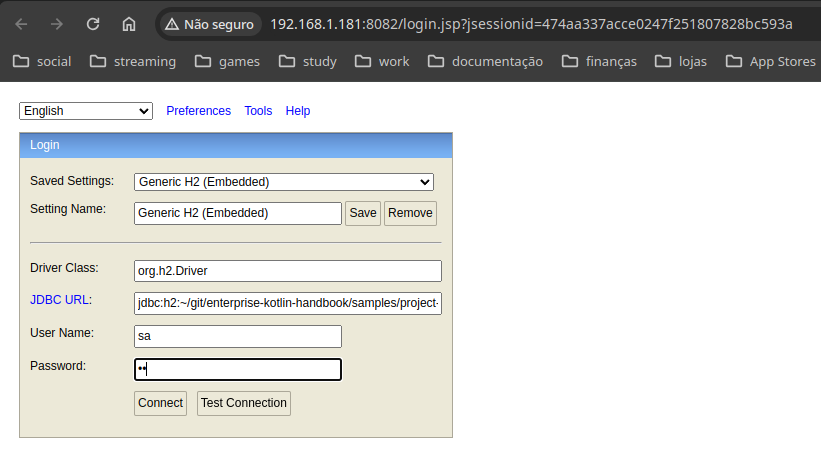
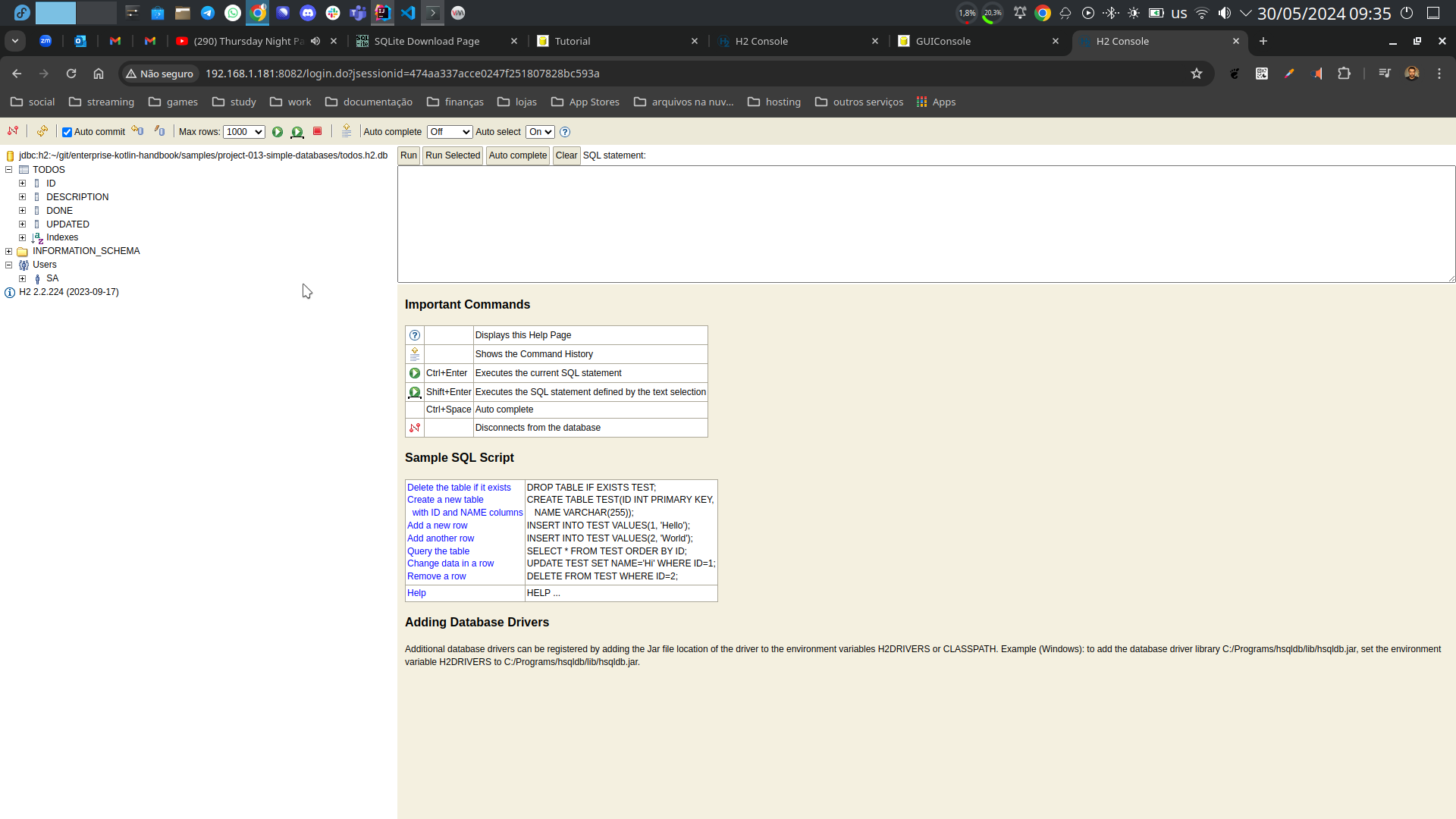
The interface is pretty decent:
Noteworthy
- In old jvm versions, you had to explicitly load the database driver using Class.forName(), but modern drivers` does that automatically, they just need to be present in classpath. That's why we have classpath parameter for run but not to compile.
- While sqlite3 offers a command line tool to quick database inspection, H2 offers a web-based admin tool.
- The JDBC API is quite verbose and fine-grained, which is bad if you just want to get things done. This is why so many other database
- access libraries where built on top of it. We'll check some of them in other projects.
- As an exercise, improve the command line used to run the application, if possible by unifying it into a single command for both database engines.
- A second exercise is to add a third database driver of your choice and make it work.